VPN Gateway Packet Capture With Private Endpoint Storage Account
1. Layout
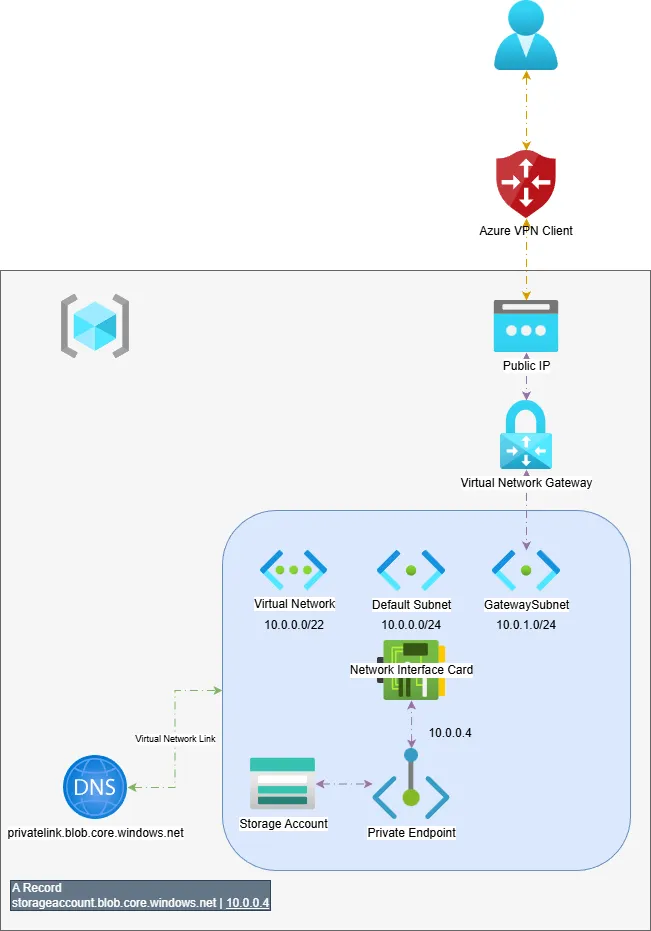
A resource group was created with the following:
- Virtual Network
- A default subnet
- A
GatewaySubnet
- Storage Account
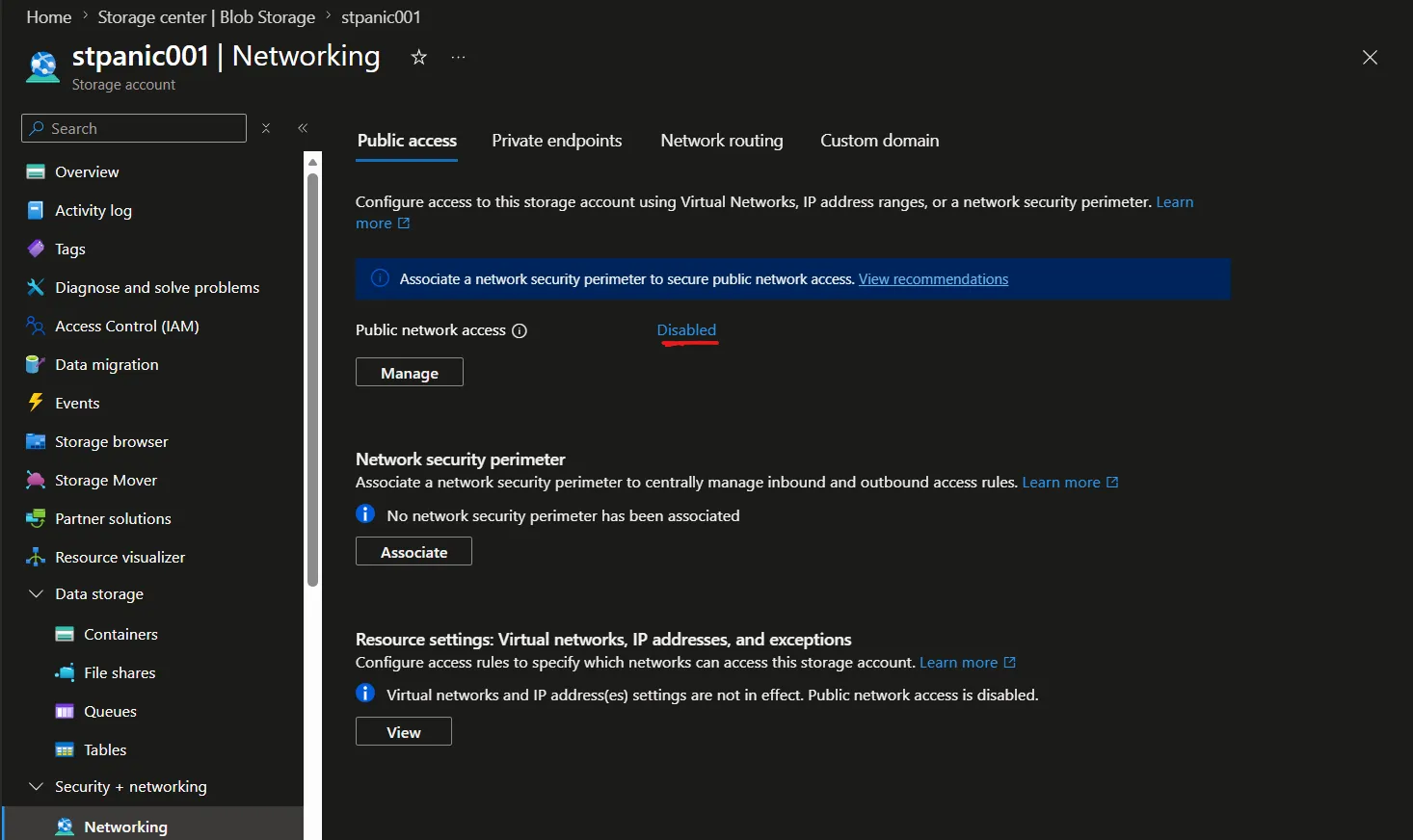
- Private Endpoint connected to the Storage Account with public access disabled.
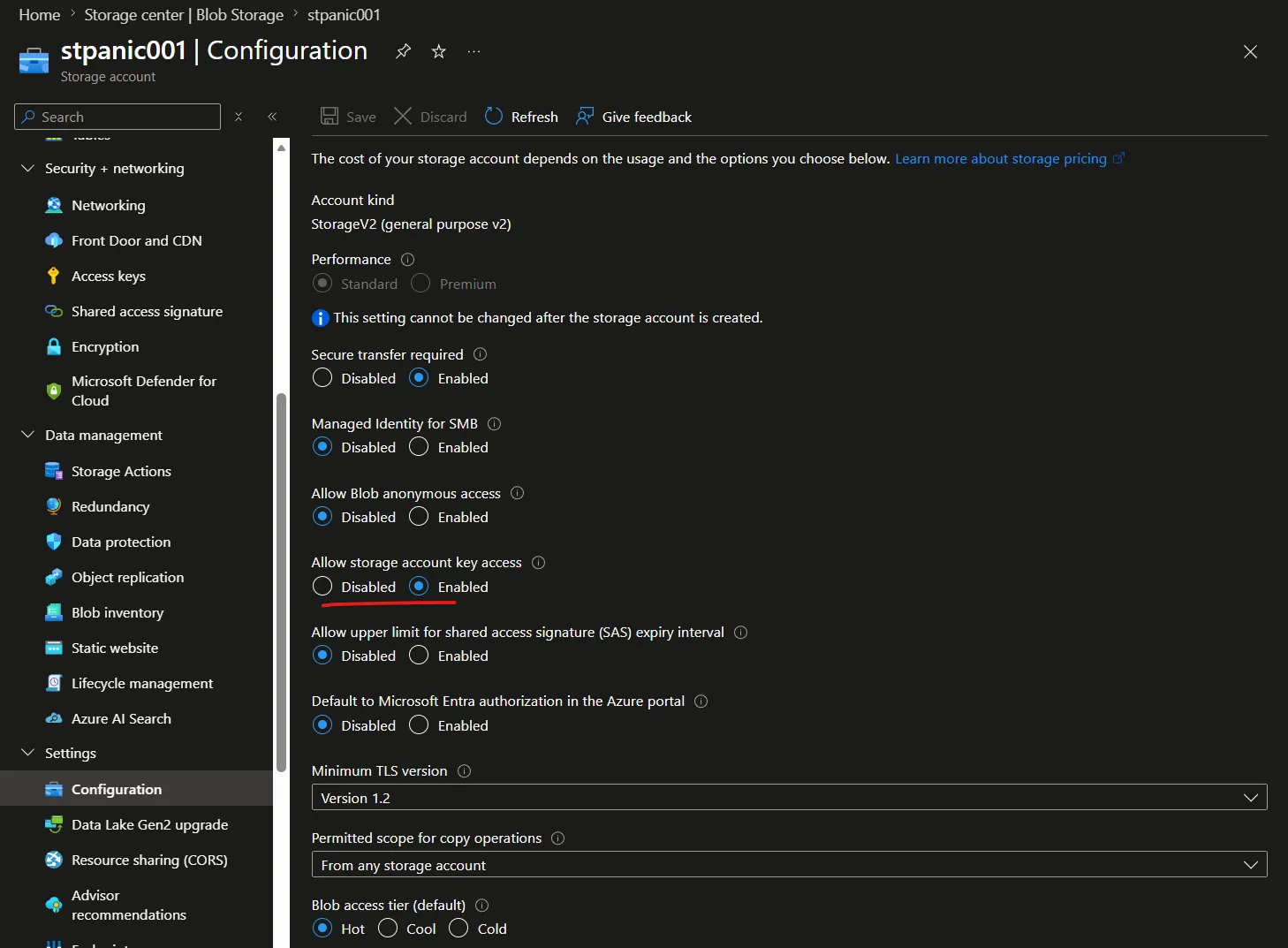
- Storage account allows for access keys.
- Created two blob containers:
vgw-packet-capturetest-upload
- Private DNS Zone with an A record for the storage account that resolves to the private IP from the private endpoint attached to the default subnet.
2. Outline
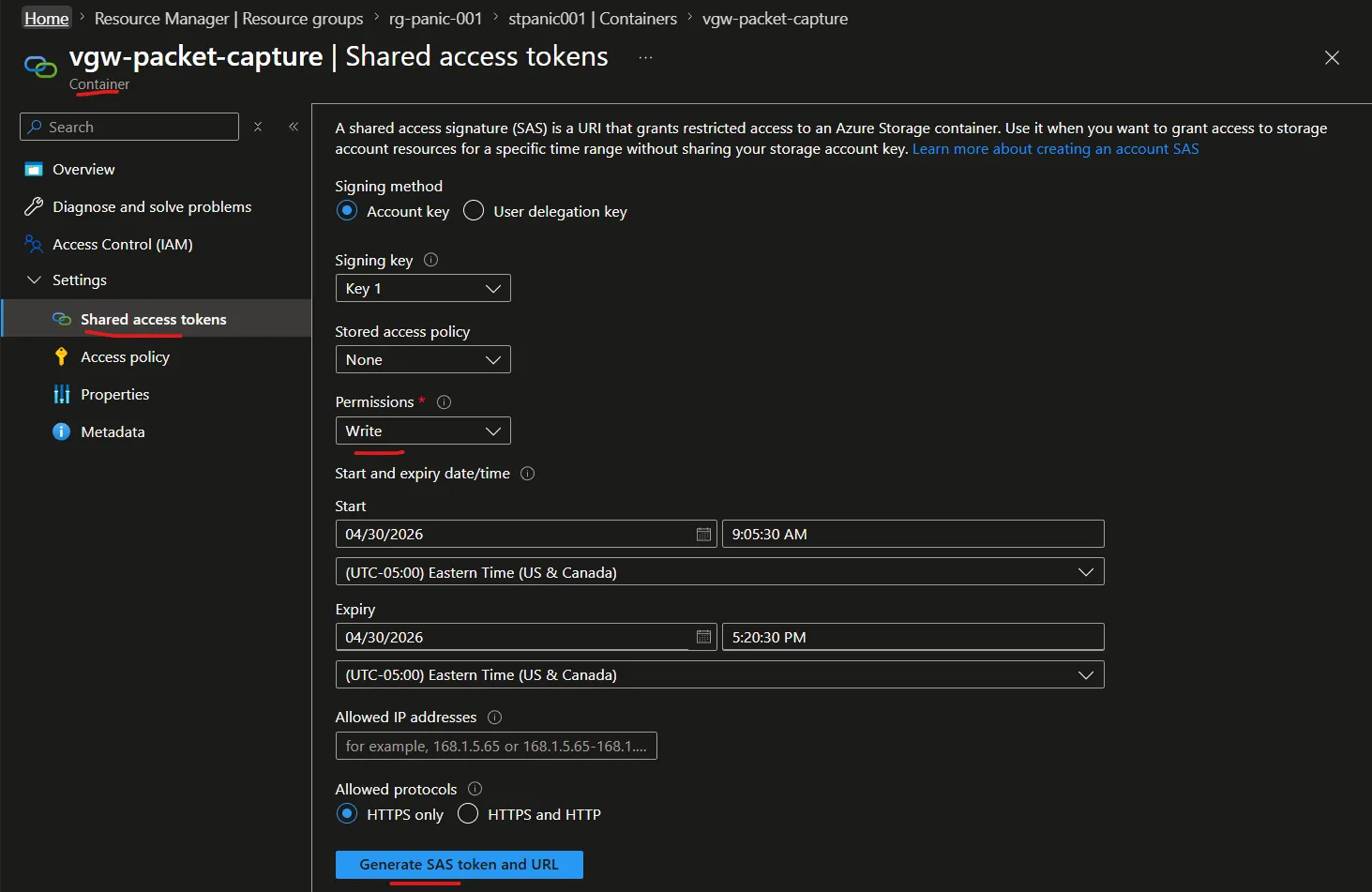
I was able to successfully demonstrate a VPN Gateway Packet Capture with a storage account that has public access disabled only allowing connectivity through a private endpoint. I provisioned the bare minimum resources in order to achieve an example. Depending on the Azure Policies and governance in place you’ll want to make sure that the storage account allows for the generation for shared access keys. One important piece to note is that the VPN Gateway Packet Capture requires a Shared Access Token on a specific container, and not the storage account’s Shared Access Signature.
In my case, I created a Virtual Network Gateway, with a simple Point to Site VPN. I connected to my Virtual Network using the Azure VPN Client. Here are the steps I took:
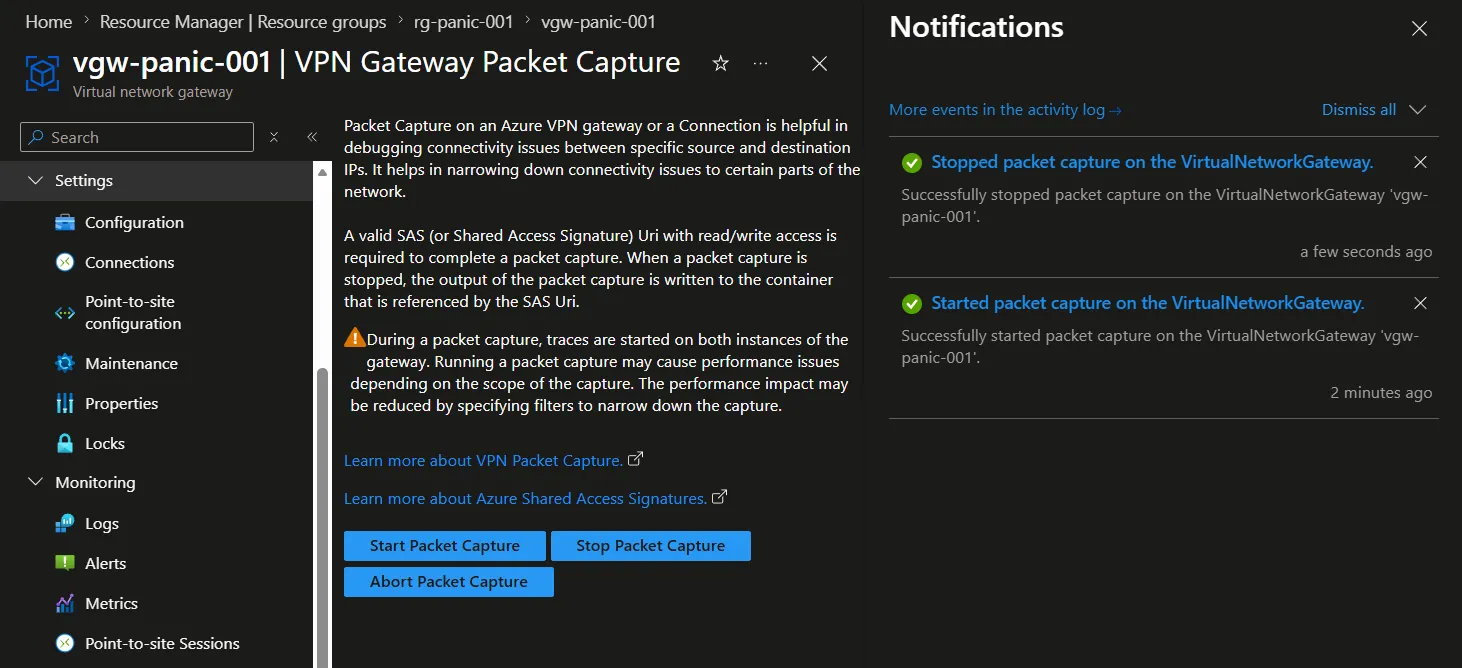
- Start VPN Gateway Packet Capture on the Virtual Network Gateway in Azure Portal
- Uploaded a file to
test-uploadcontainer. - Generated the Shared Access Token on the container
vgw-packet-capturewith write only. - In the portal selected Stop Packet Capture on the VPN Gateway Packet Capture
- Provided the generated URI to the VPN Gateway Packet Capture.
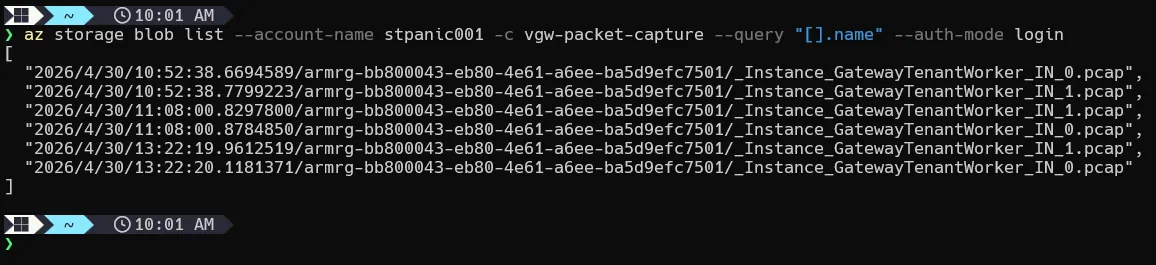
- List blob storage contents, showing the packet capture output.
Here I successfully demonstrated that a VPN Gateway Packet Capture can be done with private connectivity. The only caveat is that a Shared Access Token must be created. Microsoft’s official recommendation is to use Managed Identities instead of Shared Key authorization. However, there is no way to use a managed identity to generate a VPN Gateway Packet Capture at the time of this writing.
Code will be coming soon!